Akshi Support
Get started
- Mount the phone. Clamp a phone holder about halfway up your walking stick or cane (the holder we use). Put the iPhone in upright, screen facing you, rear camera facing forward. The camera needs to see the floor about a stride ahead; if it can't, Akshi says "Cannot see the floor. Tilt the phone down." While guiding, the screen shows TILT DOWN or TILT UP for a helper aiming it.
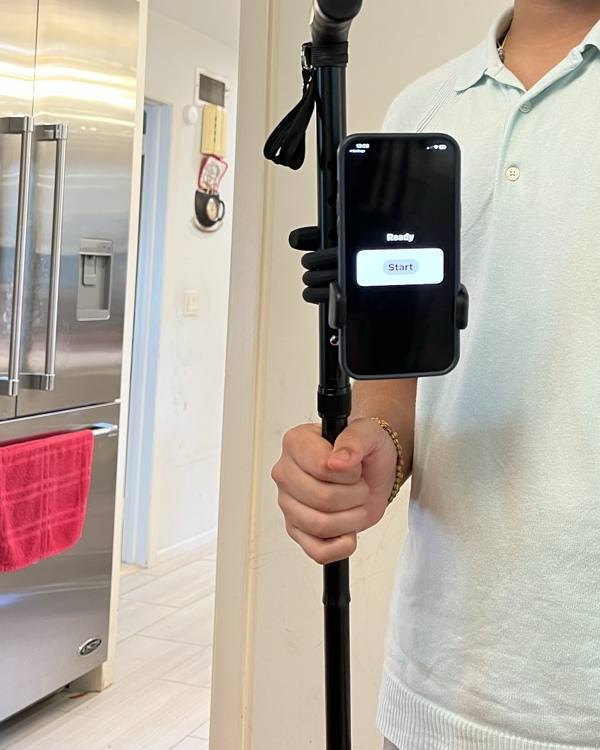
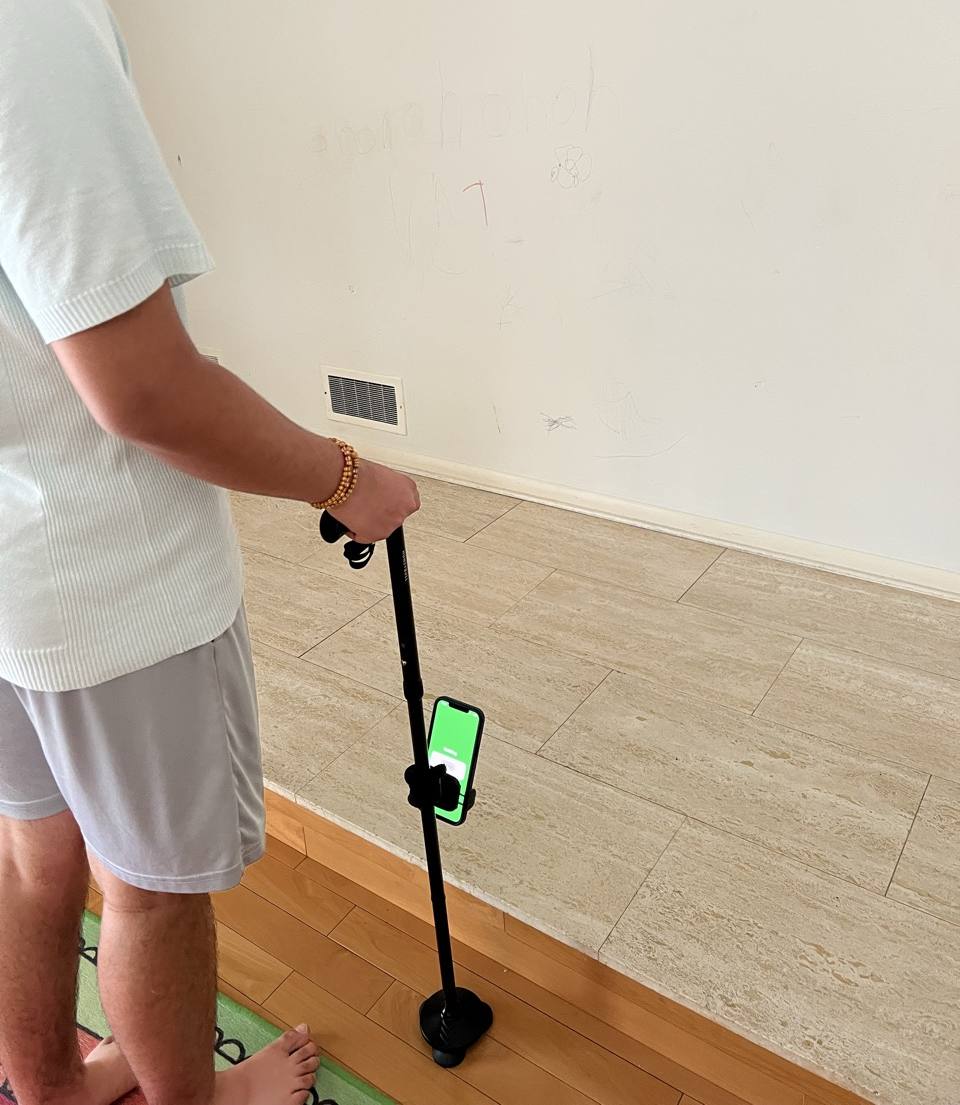
- Press Start. On LiDAR iPhones, Akshi warns about steps and obstacles straight away.
- Add a place. Places → Add a place, then add landmarks: doorways, rooms, and hazards such as a step down.
- Print the markers (Print or save markers) and tape each one about a stride before its spot, low on a wall, door frame or baseboard, flat and well lit. Give each step a marker on both sides.
- Where am I? repeats the last marker. You can assign it to the Action button: iPhone Settings → Action Button → Shortcut → Akshi → Where am I?
Try it without setting anything up
In Akshi, open Places → Try the sample place, then print the four sample markers (PDF) or show them on another screen. Press Start and point the camera at marker 1: Akshi says "Front door." Marker 3 plays the hazard tone and says "Step down. Living room."
Common questions
It says "Step detection needs a LiDAR iPhone." Your iPhone has no LiDAR sensor. Markers still work; steps and obstacles are not detected, so rely on your cane.
It says "Cannot see the floor. Tilt the phone down." The camera is aimed too flat. Tilt it down until the warning stops.
A marker isn't read. Make sure it's flat, well lit, not glossy, and facing the direction you approach from. Printing larger helps.
"Guidance stopped. Use your cane." The camera stopped delivering images (the phone locked, a call arrived, or it got too hot). Akshi says "Guidance resumed" when it recovers.
Akshi supplements your cane, guide dog and the people around you. It can miss steps, obstacles or markers. Do not rely on it in an emergency.
Contact
Email help@wisenai.com to report a problem or ask a question. You can also open an issue at github.com/wisenai/akshi-site/issues.